Settings reference
Coaching
Who can open itViewer: noOperator: noSupervisor: noAdmin: yes
How the team is reminded to wrap up chats, and how its chats are reviewed and scored. Visitors never see any of it. It is not a panel of the Settings page: an admin opens it with Settings at the top right of the Team page.
Where to find it
Section titled “Where to find it”Team in the rail (Insight), then Settings at the top right of the page. It opens these settings in a panel on the right, one group at a time as tabs, whichever of the Team page’s tabs is open. Only admins see Settings. The Settings search finds these settings and opens the Team page with them.
When reviews or points are off, the Chat reviews or Leaderboard tab says so, and an admin sees Open the setting, which opens this panel on its group.
Wrap-up reminder
Section titled “Wrap-up reminder”A reminder on the dashboard, never a limit: a team member can always reply.
| Setting | Starts as | Allowed values or range | Example | What it does |
|---|---|---|---|---|
| Wrap-up reminder | On | On or off | On | On: a chat shows a green, amber, red or overtime marker by how many replies the team has sent it, as a reminder to steer toward a next step. It only reminds: nobody is stopped from replying. |
| Aim to wrap up within Shown only while “Wrap-up reminder” is on |
10 |
1 to 200 replies | 12 |
The number of team replies a chat should be wound up within. The marker turns amber at half of it, red at four fifths and shows overtime once it is passed, so 10 means amber at 5, red at 8 and overtime at 11. Replies are still allowed. |
| Playful reminders Shown only while “Wrap-up reminder” is on |
On | On or off | Off | On: the amber, red and overtime reminders use a short joke, and the team member holding a chat sees a small celebration when the visitor leaves their details. Off: plain wording and no animation. |
AI chat reviews
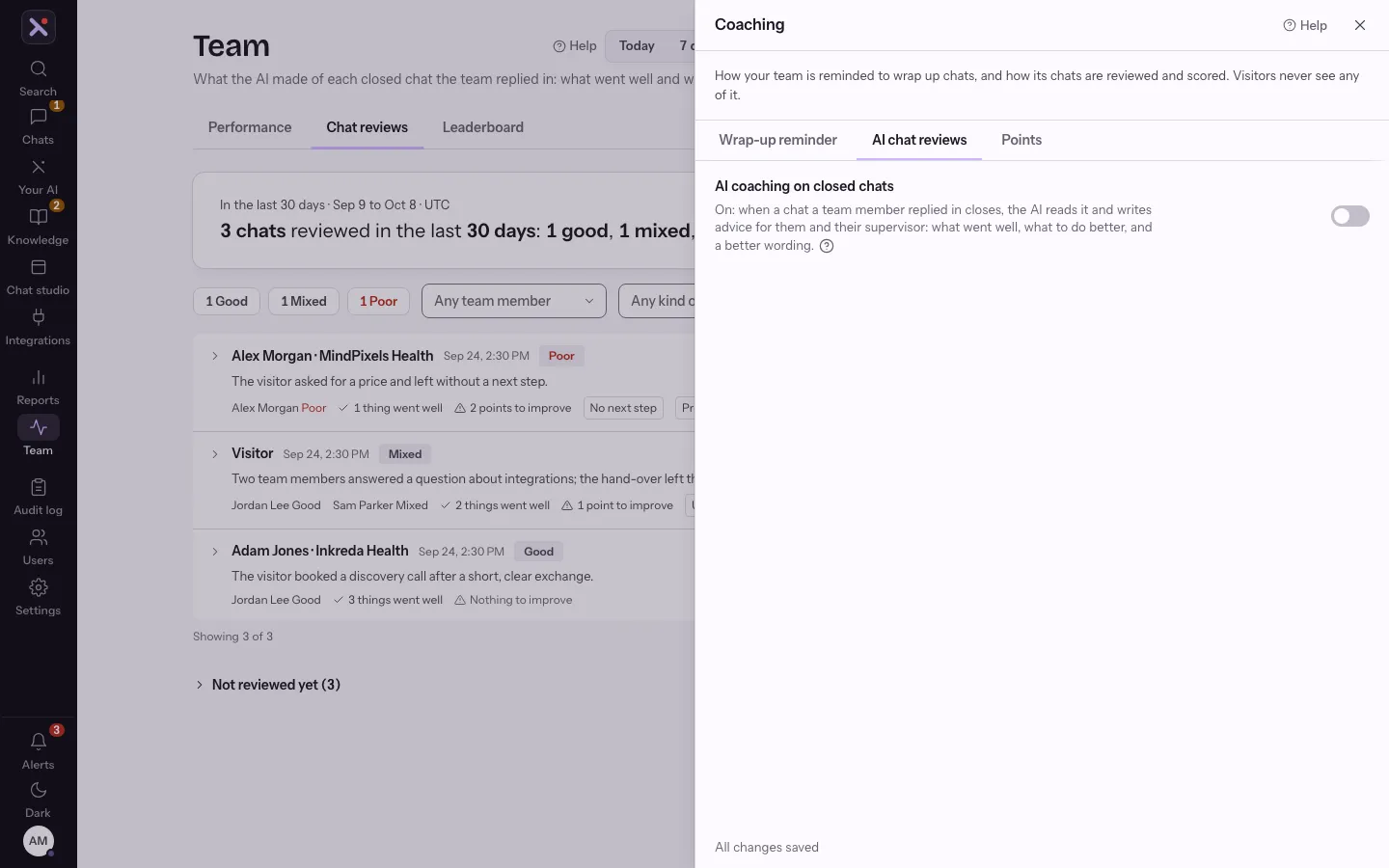
Section titled “AI chat reviews”The AI’s advice on a closed chat. Never shown to a visitor and never changes a chat.
| Setting | Starts as | Allowed values or range | Example | What it does |
|---|---|---|---|---|
| AI coaching on closed chats | On | On or off | Off | On: when a chat a team member replied in closes, the AI reads it and writes advice for them and their supervisor: what went well, what to do better, and a better wording. It reads only chats that closed in the last few days, never changes a chat and is never shown to a visitor. Off: no chat is reviewed. |
| Only review chats with at least Shown only while “AI coaching on closed chats” is on |
3 |
1 to 50 team replies | 4 |
A closed chat is reviewed once the team sent at least this many messages in it. |
Points
Section titled “Points”The points that add up from the reviews. Needs AI chat reviews on.
| Setting | Starts as | Allowed values or range | Example | What it does |
|---|---|---|---|---|
| Award points Shown only while “AI coaching on closed chats” is on |
On | On or off | Off | On: a reviewed chat earns the team member points for how fast they took it over and replied, how well they wrote, and how it ended. They see their own points. Off: points are still stored, but the Leaderboard and My points are hidden; the Performance table still shows them. |
| Show the leaderboard to everyone Shown only while “Award points” is on |
On | On or off | Off | On: team members see a ranking of the points everyone has earned. Off: each sees only their own points; supervisors and admins still see everyone. |
| Bonus points outside team hours Needs: Team hours Shown only while “Award points” is on |
On | On or off | Off | On: a chat taken over outside the team hours earns extra points, once the visitor writes back and the review rates the chat mixed or better. With no team hours set there is no after-hours to reward. |
Source files for this page
docs/SETTINGS.mdservices/api/app/settings/settings_store.pyapps/dashboard/src/views/TeamSettingsDrawer.tsx

