Answer chats
Notes and tags
Who can open itViewer: yesOperator: yesSupervisor: yesAdmin: yes
Where to find it
Section titled “Where to find it”Open a chat on Chats, then the Notes tab beside the transcript, or choose Notes & tags in the chat’s ⋯ menu, which shows a count when the chat has notes. On narrower screens and on a phone, the menu is the way in (An open chat).
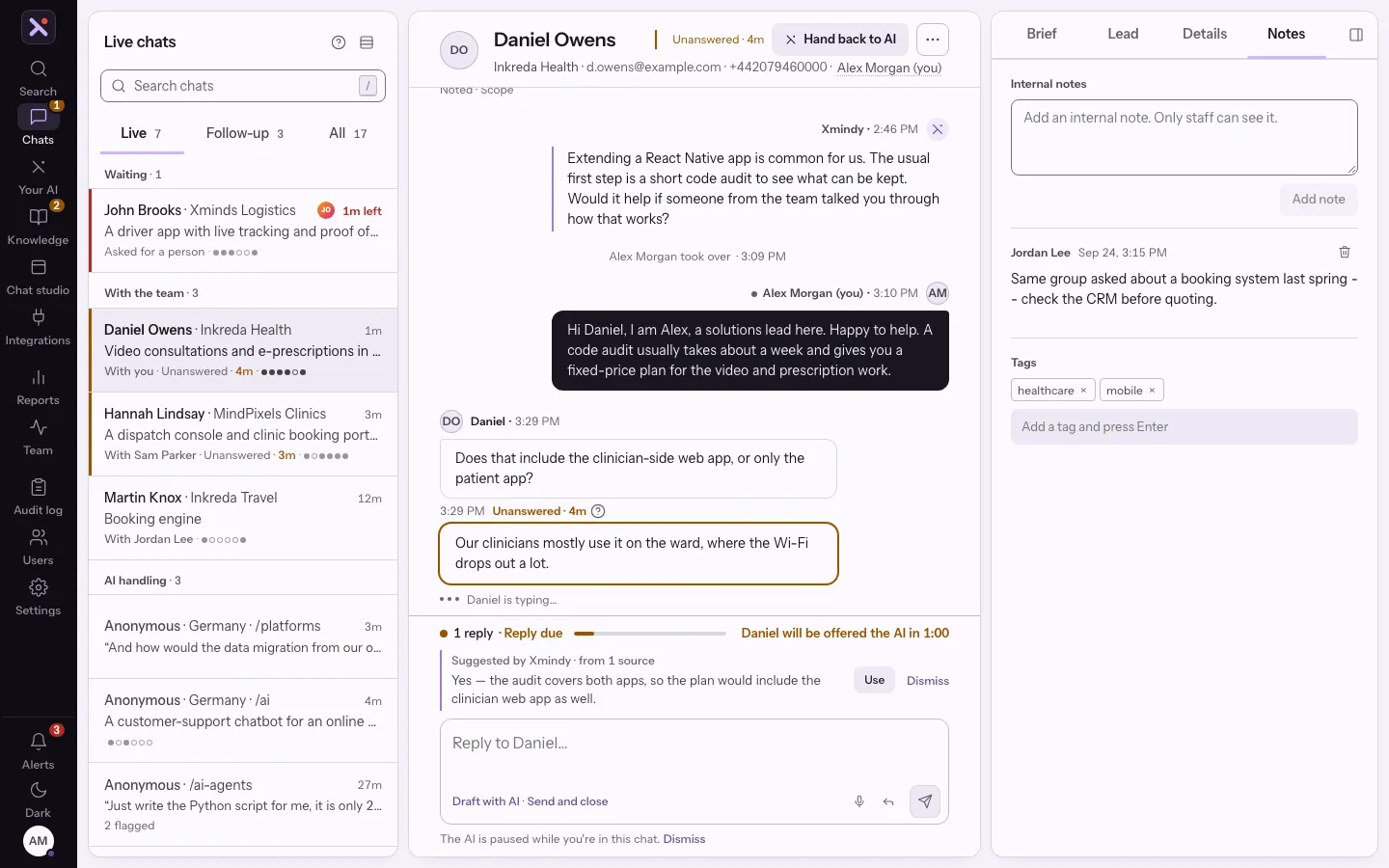
Add a note
Section titled “Add a note”- Type in the box under Internal notes, up to 2,000 characters.
- Press Add note. The note shows with your name and the time, newest first. A colleague who has the chat open sees it at once.
Delete a note
Section titled “Delete a note”- Press the bin beside the note. The author, a Supervisor or an Admin can delete it.
- It is deleted at once, and “Note deleted” appears. Undo on that message writes it again with the same words, dated now and under your name.
Add or remove a tag
Section titled “Add or remove a tag”- Type a tag under Tags, such as
pricing, and pressEnteror a comma. Tags your team has used before are suggested as you type. - The tag shows under Tags in lower case, and in the chat’s header.
- To remove a tag, press the × on it.
To find tagged chats, choose the tag in the Tag filter on All (Filter the All view).
Good to know
Section titled “Good to know”- A chat can carry 10 tags of up to 30 characters each.
- Two people adding tags at once keep both.
- A note a colleague deletes goes from your screen while you have the chat open.
If something goes wrong
Section titled “If something goes wrong”| You see | What to do |
|---|---|
| “Only the author, a supervisor or an admin can delete this note.” | Ask the note’s author, a Supervisor or an Admin. |
| “The note couldn’t be restored. Add it again.” | Undo failed. Type the note again and press Add note. |
Related
Section titled “Related”Reviewed
Source files for this page
apps/dashboard/src/views/workspace/WorkspaceSheets.tsxapps/dashboard/src/views/workspace/brief/NotesPanel.tsxapps/dashboard/src/views/workspace/brief/TagsPanel.tsxapps/dashboard/src/views/workspace/Workspace.tsxapps/dashboard/src/permissions.tsservices/api/app/routers/conversations.pyservices/api/app/conversations/triage_store.py

