Teach your AI
Knowledge, Your business
Who can open itViewer: noOperator: noSupervisor: noAdmin: yes
Use Your business for what the AI should always know, whatever a visitor asks. For the answer to one question, write it on Questions and answers instead.
Where to find it
Section titled “Where to find it”Work, Knowledge, then the Your business row, always first under What the AI knows. It opens in a drawer. Only an Admin can open it. These open it too:
- Tell it in Needs you, shown while nothing is written;
- Tell the AI about your business on a new company’s first card;
- Correct your business facts on Test and fix.
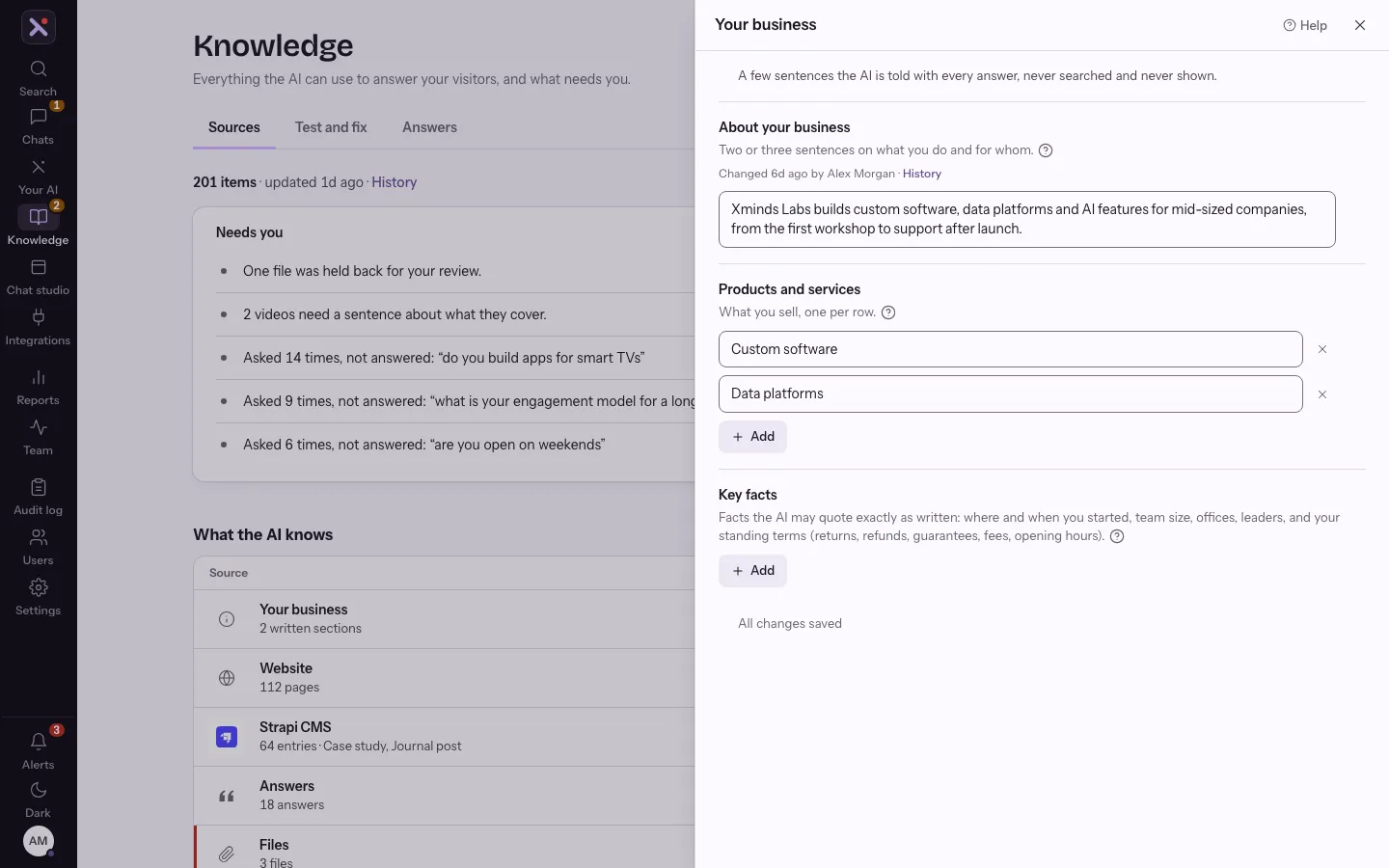
Write about your business
Section titled “Write about your business”-
Fill in the three fields:
Field What to write Example About your business Two or three sentences on what you do and for whom. Keep numbers out of it: put them in Key facts “Inkreda sells and installs solar panels for homes and small businesses, and looks after them for ten years.” Products and services What you sell, one per row “Home solar installation” Key facts Facts the AI may quote exactly as written, one per row: when you started, team size, offices, and your standing terms such as returns, fees or opening hours “Open Monday to Friday, 09:00 to 18:00” -
Press Save changes to store all three at once. Discard brings back what was saved.
-
Open Test and fix and ask a question the new lines should answer. If it says “Saved, but not in use yet”, wait until that note goes first.
The row on Sources then shows how many of the three fields hold something, and In use. Each field’s length limit is in the Your business settings reference.
What a field left empty means
Section titled “What a field left empty means”| Empty field | What the AI does |
|---|---|
| About your business | It knows only your company’s name and type of business from Your AI |
| Products and services | It has no list of what you sell |
| Key facts | It tells a visitor that your team can confirm figures and terms, unless a source it found states them |
With all three empty, the row shows Empty and Needs you says “The AI has not been told what your business does.”
Good to know
Section titled “Good to know”- Every line goes into every answer, so keep them short.
- Put standing terms in Key facts even when a page on your website states them: a page backs an answer only when the search finds it, these lines back every answer.
- Write each key fact as a full statement that makes sense on its own, since the AI may quote it as written.
- Closing the drawer with something unsaved asks “Discard your changes?” first.
- A change here is recorded in the audit log with your other settings changes.
Related
Section titled “Related”Reviewed
Source files for this page
apps/dashboard/src/views/KnowledgeView.tsxapps/dashboard/src/views/knowledge/SourcesTab.tsxapps/dashboard/src/views/knowledge/FirstWebsite.tsxapps/dashboard/src/views/knowledge/TestTab.tsxshared/web/src/views/settings/panel.tsxapps/dashboard/src/pageTabs.tsshared/web/src/views/settings/registry.tsxapps/dashboard/src/views/settings/moved.tsdocs/SETTINGS.md

