Connect your tools
Webhook alerts
Who can open itViewer: noOperator: noSupervisor: noAdmin: yes
An Admin adds the endpoint; a developer builds the receiver from What your receiver gets onwards.
When it is included
Section titled “When it is included”Signed webhooks are included unless the platform has switched them off for your company. If the card is greyed and reads Not in your plan or Switched off, your company does not have them: ask your EveryKnock contact. Automation events are a separate part of a plan, switched on for your company by the platform.
Where to find it
Section titled “Where to find it”Work > Integrations, the Signed webhooks card under Alerts. Only an Admin can open the page.
Send a test, in the open panel, tests every endpoint that is on. What the card’s line says, and Recent activity: The Integrations page.
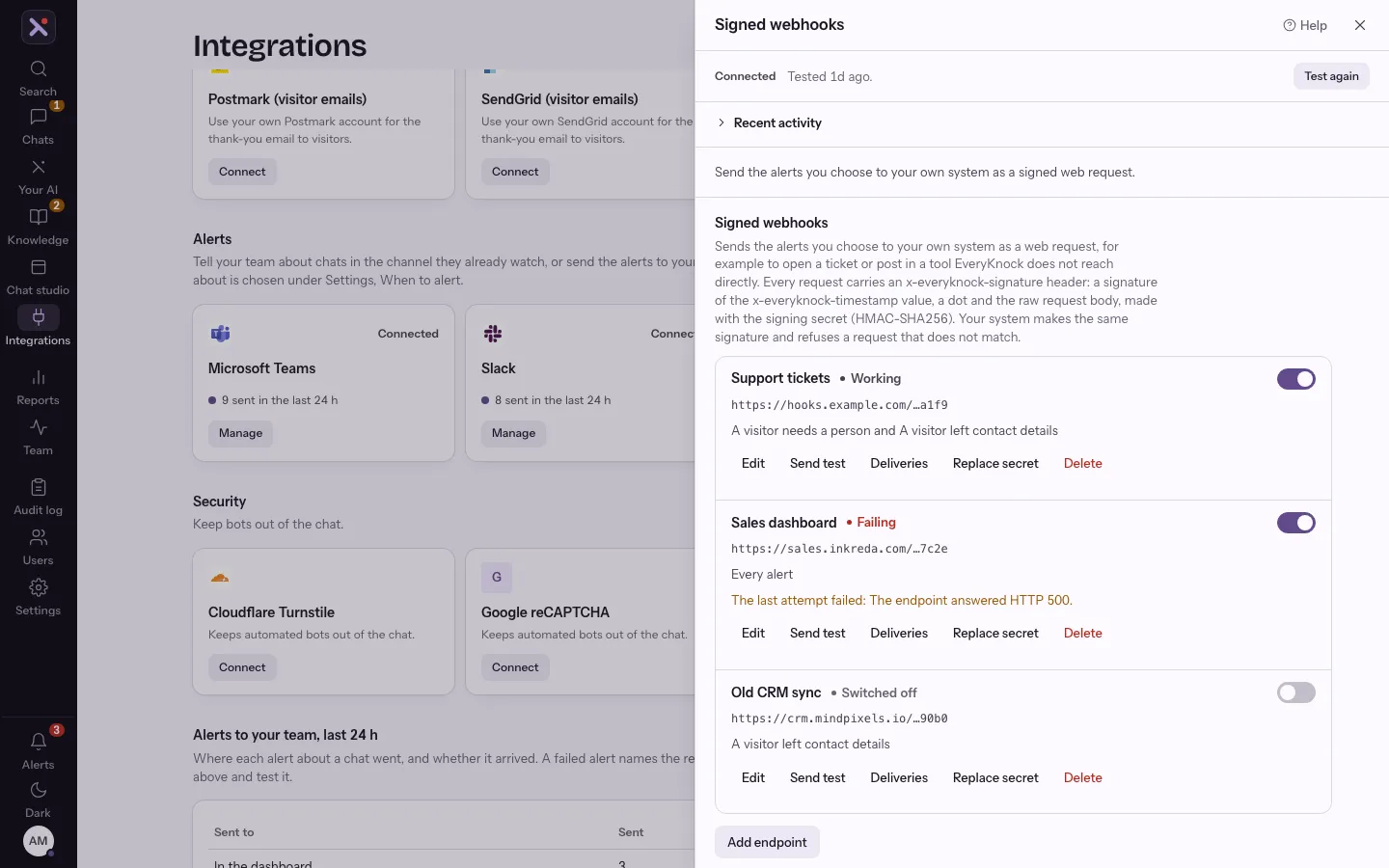
Add an endpoint
Section titled “Add an endpoint”- Open the Signed webhooks card and press Add endpoint.
- Give it a Name you will recognise, such as “Support tickets” (up to 80 characters).
- Enter the Address: a public
https://address on port 443, such ashttps://hooks.inkreda.example/everyknock. An address inside your own network is refused. Anyone who knows the address can send to it, so keep it private. - Under Send this endpoint, tick the alerts it should receive, at least one. All are ticked to start.
- Press Add endpoint. The signing secret is shown once: press Copy, give it to whoever builds the receiver, and press Done.
- Press Send test on the new endpoint. You see “Test sent. Your system answered with HTTP 200.” when the receiver took it, or “The test failed” with the answer’s number.
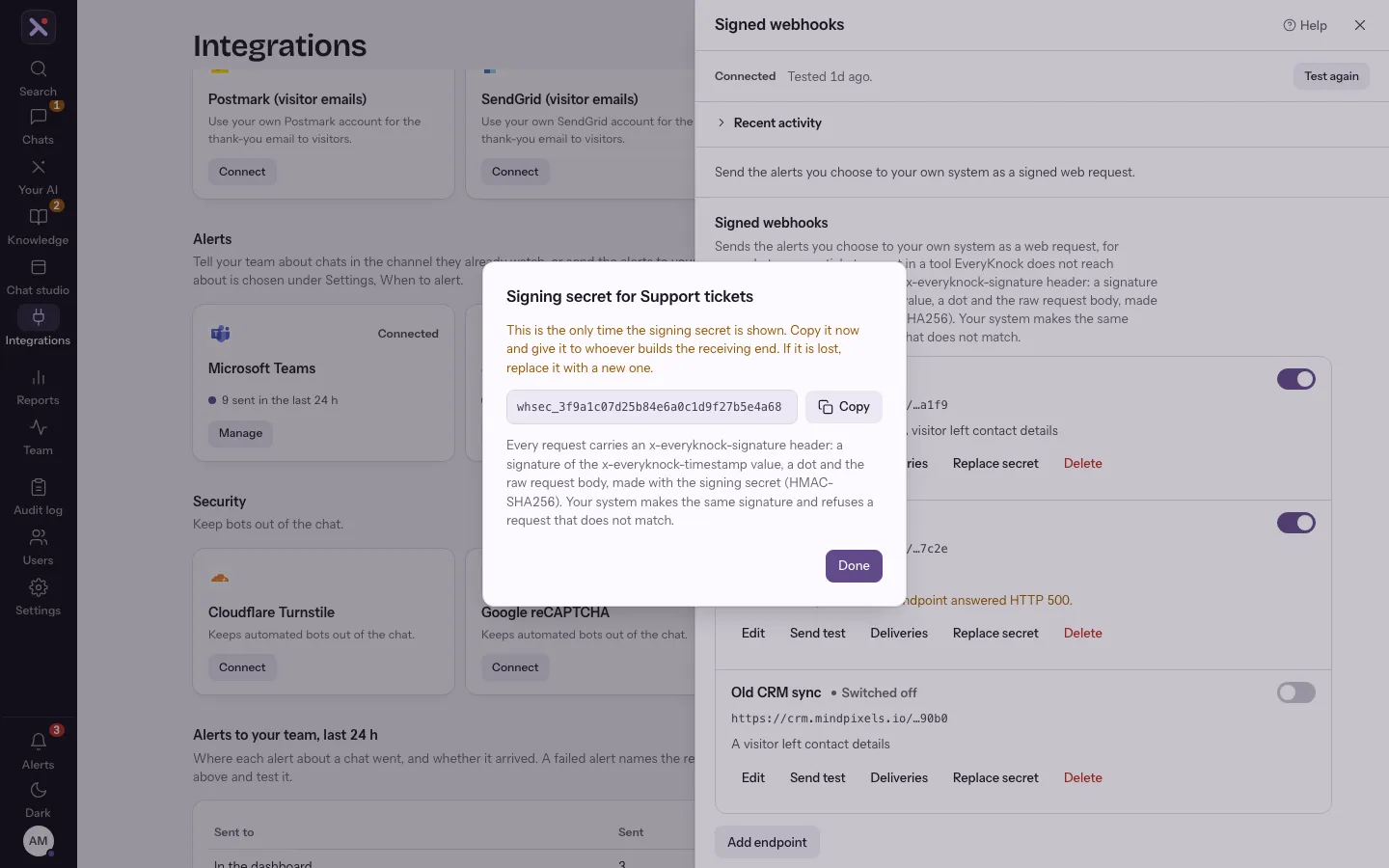
You can have up to five endpoints; delete one you do not use to add another. Afterwards the address is shown masked (its host and last four characters), and the row names the alerts it gets.
Manage an endpoint
Section titled “Manage an endpoint”| Action | What it does |
|---|---|
| The switch | Sends alerts to it, or stops them. Nothing waits for a switched-off endpoint |
| Edit | Change the name, the address or the alerts. Leave Address empty to keep the saved one |
| Send test | Sends a signed test message now and shows the answer |
| Deliveries | The last 50 messages to it: when, which alert, the result (Delivered, Waiting, Failed, Skipped or Too old to send), a detail such as “HTTP 500”, and the number of tries |
| Replace secret | Makes a new secret and shows it once. The old one stops working at once |
| Delete | Stops alerts to it. This cannot be undone |
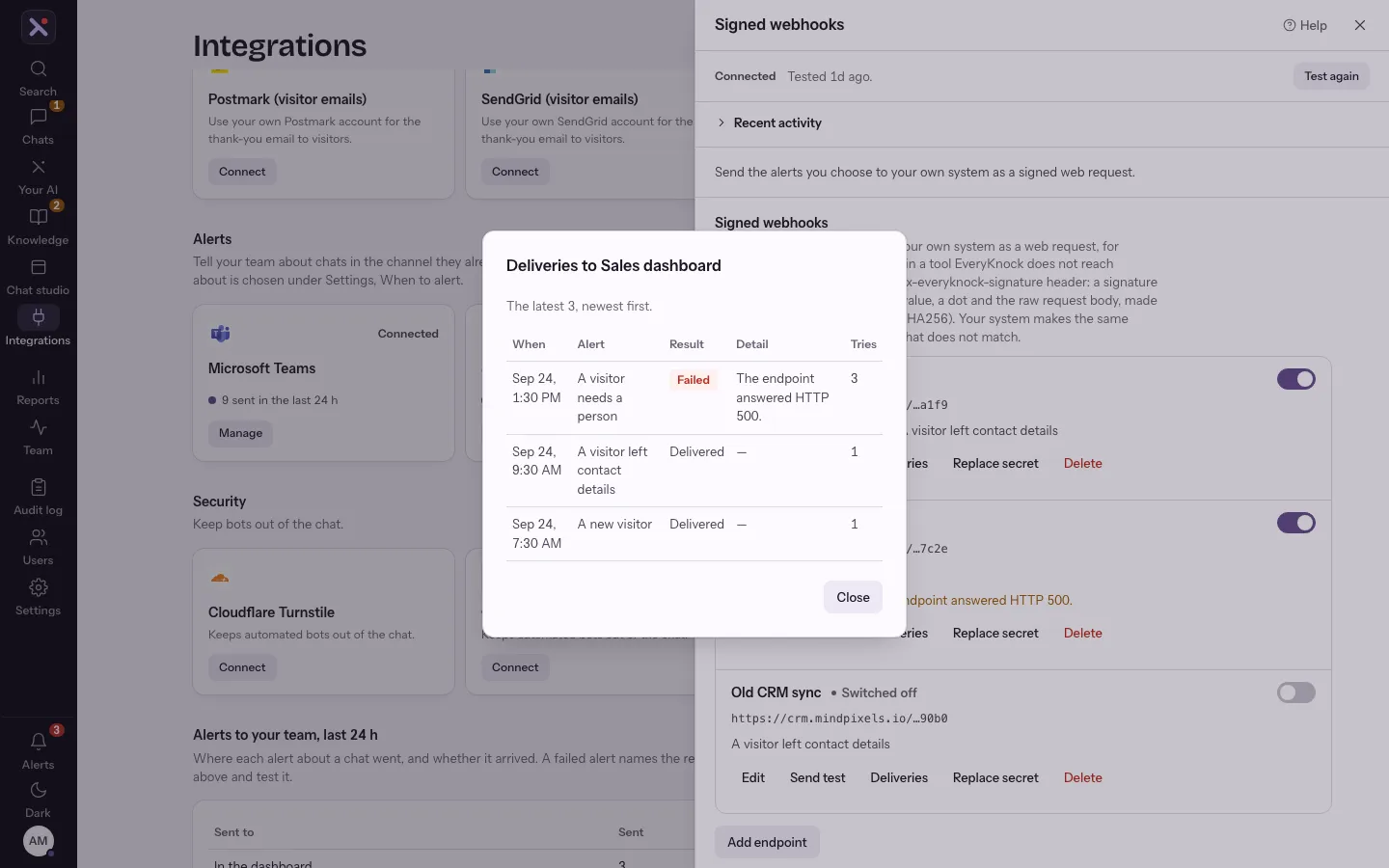
Each endpoint shows Working, Failing (with the last error) or Switched off. A failing endpoint is never switched off for you.
Send alerts to the team and each alert’s own switch on When to alert still apply. An endpoint’s ticks are its own choice: it receives a ticked alert whatever team members chose for themselves.
The alerts you can choose
Section titled “The alerts you can choose”| On screen | type |
|---|---|
| A new visitor | visitor.new |
| A visitor needs a person | visitor.needs_person |
| A visitor went back to the AI | visitor.returned_to_ai |
| A chat was taken over | visitor.taken_over |
| A visitor is waiting for a reply | visitor.unattended |
| A visitor left contact details | contact.left |
| A chat closed | conversation.closed, only with Automation events (below). Also sent when a chat still open at the end of its time (Keep chats for) is closed to be deleted; the chat is deleted only after the event is sent |
| A test message | webhook.test, from Send test only |
What your receiver gets
Section titled “What your receiver gets”A POST with Content-Type: application/json, User-Agent: Xmindy-Webhook/1 and these headers:
| Header | Value |
|---|---|
X-Xmindy-Event |
The alert’s type |
X-Xmindy-Delivery |
The message’s id, the same on every retry, so you can drop a repeat |
X-Xmindy-Timestamp |
Unix seconds when this try was signed |
X-Xmindy-Signature |
v1= and the hex HMAC-SHA256 of <timestamp>.<raw body>, keyed with the signing secret |
{ "apiVersion": 1, "id": 4821, "type": "visitor.needs_person", "createdAt": "2026-10-25T09:30:12+00:00", "conversation": { "id": "c-1f3a", "url": "https://app.example.com/detail/c-1f3a?w=inkreda" }, "title": "Visitor waiting for a team member", "text": "A visitor has asked to speak to a team member and is waiting in the chat. Take over the chat within 5 minutes. If nobody does, the chat goes back to the AI assistant, which tells the visitor that nobody was free.", "country": "Canada"}title and text are the words Teams and Slack show; a visitor’s words in them are shortened. country is there only when known. conversation.url opens the chat in the dashboard and needs a sign-in; its w names your company, so someone who belongs to several companies is taken to yours.
A test (Send test) has "id": 0, "type": "webhook.test", the title “EveryKnock test notification” and, on an endpoint set to Alerts, no conversation.
Automation events
Section titled “Automation events”With automation events in your plan, What it receives in the endpoint’s window offers Alerts (the message above) or Automation events: a message your tools can act on, which can also receive A chat closed.
{ "apiVersion": 2, "id": 4822, "type": "contact.left", "createdAt": "2026-10-25T09:31:02+00:00", "conversation": { "id": "c-1f3a", "url": "https://app.example.com/detail/c-1f3a?w=inkreda", "status": "active", "audience": "prospect", "startedAt": "2026-10-25T09:20:00.000Z", "closedAt": null, "outcomes": ["contact_left"] }, "details": [{ "key": "role", "label": "Role", "value": "Owner" }], "title": "New Inkreda lead", "text": "A booking app for our clinics"}conversation carries the chat’s status, its audience (the key from Who writes on Your AI), when it started and closed, and the outcomes it reached. details lists each detail the AI learned, with your label, in your order; a detail your team marked as wrong is left out. A test to an endpoint set to Automation events has "conversation": {"id": null, "url": ""} and an empty details. If automation events leave your plan, an endpoint set to them receives nothing.
Verify every message
Section titled “Verify every message”Sign the raw bytes you received (not a re-written copy), use the secret exactly as shown, refuse a timestamp more than five minutes from your clock, and compare in constant time. Answer 401 to a message that fails, and never act on it.
import hashlib, hmac, time
def verify(secret: str, headers: dict, raw_body: bytes) -> bool:    timestamp = headers["X-Xmindy-Timestamp"]    if abs(time.time() - int(timestamp)) > 300:        return False    signed = timestamp.encode() + b"." + raw_body    expected = "v1=" + hmac.new(secret.encode(), signed, hashlib.sha256).hexdigest()    return hmac.compare_digest(expected, headers["X-Xmindy-Signature"])
import { createHmac, timingSafeEqual } from "node:crypto";
export function verify(secret, headers, rawBody) { const timestamp = headers["x-everyknock-timestamp"]; if (Math.abs(Date.now() / 1000 - Number(timestamp)) > 300) return false; const expected = "v1=" + createHmac("sha256", secret).update(`${timestamp}.`).update(rawBody).digest("hex"); const given = Buffer.from(headers["x-everyknock-signature"] ?? ""); const wanted = Buffer.from(expected); return given.length === wanted.length && timingSafeEqual(given, wanted);}The record webhook and record lookup use the same signature, so one function serves all three.
Answers and retries
Section titled “Answers and retries”Answer within 5 seconds: store the message and answer straight away, then do the slow work. Only the status of your answer is read; its body is ignored.
| Your answer | What happens |
|---|---|
Any 2xx |
Delivered |
No answer in time, a connection error, 408, 429 or 5xx |
Tried again after 30 seconds, 2 minutes, 10 minutes and 30 minutes, then given up |
Any other 4xx, or a redirect |
Given up at once. Redirects are never followed |
- A message that waits too long is dropped rather than sent late: a visitor who needs a person only while they are still waiting, anything else after an hour.
- Messages can arrive twice or out of order. Use
X-Xmindy-Deliveryto spot a repeat. - The address is checked again before every send, so one that stops being public
httpsis refused.
If something goes wrong
Section titled “If something goes wrong”| What you see | What to do |
|---|---|
| “This address is refused: …”, under Address | Use a public https:// address with no port other than 443 |
| An endpoint reads Failing, with “The last attempt failed: HTTP 500” (or another reason) | The receiver refused or did not answer. Fix it, then press Send test to check. The endpoint reads Working again once the next alert is delivered |
| “The test failed (HTTP 401)” | The receiver refused the signature: it has a different secret, or checks it another way (Verify every message). Replace secret makes a new one |
| “A test was sent a moment ago. Wait a few seconds and try again.” | Wait ten seconds |
| The card reads Off | Switch an endpoint on, or turn on Send alerts to the team on When to alert |
| An endpoint is Working but gets nothing | The alert is not ticked on it, or its switch on When to alert is off |
| An endpoint set to Automation events gets nothing | Automation events are no longer part of your plan. Ask your EveryKnock contact, or set the endpoint to Alerts |
Related
Section titled “Related”- Connect Teams and Slack: the same alerts in a channel, and Alerts to your team, last 24 h
- When to alert: the master switch and which alerts go out
- Audit log: adding, changing, deleting an endpoint and replacing its secret
Reviewed
Source files for this page
apps/dashboard/src/views/settings/WebhookEndpoints.tsxapps/dashboard/src/views/settings/WebhookDialogs.tsxapps/dashboard/src/views/IntegrationsView.tsxapps/dashboard/src/views/integrations/readiness.tsapps/dashboard/src/views/alertWords.tsservices/api/app/notifications/webhooks.pyservices/api/app/notifications/adapters/webhook.pyservices/api/app/notifications/events.pyservices/api/app/notifications/deliveries.pyservices/api/app/notifications/pipeline.pyservices/api/app/notifications/service.pyservices/api/app/routers/notifications.pyservices/api/app/routers/connections.pyservices/api/app/settings/features.py

