Your team and account
Keyboard shortcuts
Who can open itViewer: yesOperator: yesSupervisor: yesAdmin: yes
The dashboard’s shortcuts let you move through chats and answer them without the mouse. The list in the dashboard is the short version; this page says what each one does.
Where to find it
Section titled “Where to find it”Press ? anywhere outside a text box, or choose Keyboard shortcuts in your account menu or the command palette. Every role can open it, and Help at the foot of the list opens this page.
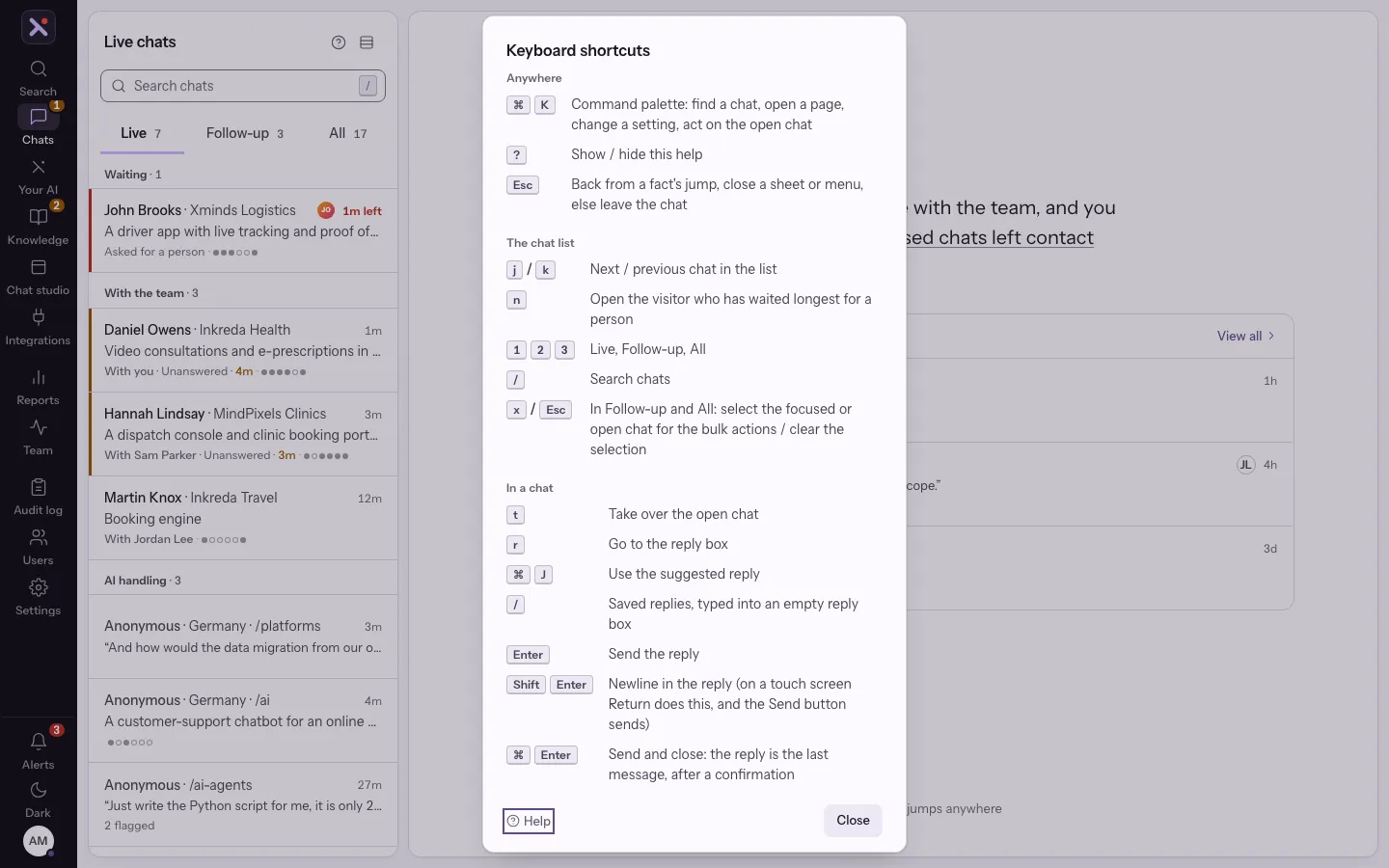
The one-key shortcuts (?, j, k, n, 1, 2, 3, /, x, t and r) can be switched off with Single-key shortcuts in Your preferences. The rest below still work, and so do ↑ and ↓ in the chat list. With them off, open the list from the account menu. Typing / into an empty reply box still opens your saved replies: that is text typed into a box, not a shortcut.
Anywhere
Section titled “Anywhere”| Keys | What it does |
|---|---|
| ⌘ K / Ctrl K | Opens or closes the command palette |
| ? | Shows or hides the shortcut list |
| Esc | Steps back: see What Esc does |
In the chat list
Section titled “In the chat list”| Keys | What it does |
|---|---|
| j / k | Opens the next or previous chat in the list. ↑ and ↓ do the same while the list has focus |
| n | Opens the visitor who has waited longest for a person, in Live |
| 1, 2, 3 | Switches to Live, Follow-up or All, clearing the search and filters |
| / | Moves to Search chats. Enter there searches at once |
| x | In Follow-up and All: selects the highlighted or open chat, to act on several at once. Operators and above |
Walking the list with j and k does not fill your browser’s history: Back leaves the list instead of retracing every row.
In a chat
Section titled “In a chat”| Keys | What it does |
|---|---|
| t | Takes over the open chat, when you can |
| r | Moves to the reply box |
| ⌘ J / Ctrl J | Uses the suggested reply |
| / | In an empty reply box, opens saved replies |
| Enter | Sends the reply |
| Shift Enter | Starts a new line. On a touch screen, Return does this and the send button sends |
| ⌘ Enter / Ctrl Enter | Sends the reply and closes the chat, after you confirm |
What Esc does
Section titled “What Esc does”It does the first of these that applies:
- Clears the text in the search box, if you are in it.
- Closes an open sheet, menu or pop-up.
- Clears the chats you selected.
- Leaves a jump from a detail or note back to its message, staying in the chat.
- Closes the open chat and goes back to the list.
If something goes wrong
Section titled “If something goes wrong”A shortcut does nothing while you type in a box, while a window is open, for a Viewer on the keys that act on a chat, and while single-key shortcuts are off. The full list: When a shortcut does nothing.
Related
Section titled “Related”- Getting around the dashboard
- Your preferences, for Single-key shortcuts
- The chat list
Reviewed
Source files for this page
apps/dashboard/src/views/shell/ShortcutsDialog.tsxapps/dashboard/src/views/shell/useCommandShortcut.tsapps/dashboard/src/shortcutLabels.tsapps/dashboard/src/keys.tsapps/dashboard/src/views/ConversationsView.tsxapps/dashboard/src/views/inbox/Queue.tsxapps/dashboard/src/views/inbox/InboxSearch.tsxapps/dashboard/src/views/workspace/Workspace.tsxapps/dashboard/src/views/workspace/Composer.tsx

